
Course Code: MLNX01025
Duration: 6 Month
Course Name: EXCEL +
Course Full Name: EXCEL Plus
Course Fee: 2500.00
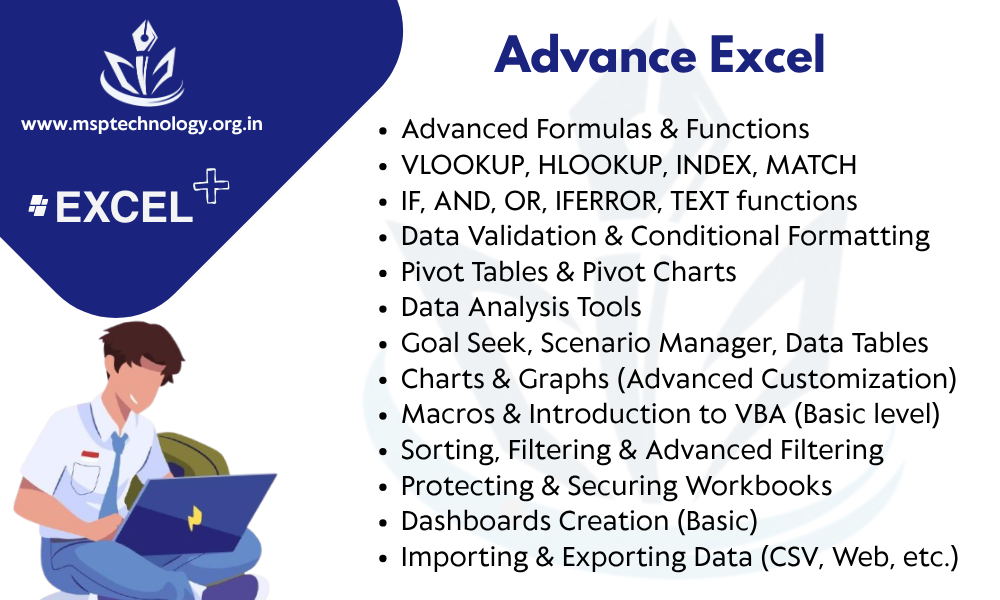
Description: Excel Plus is an advanced and practical course designed to enhance your skills in Microsoft Excel and related office tools. Offered by Multilynx Service Provider Technology Pvt. Ltd., this course is ideal for students, professionals, accountants, data entry operators, and anyone who works with data and spreadsheets regularly. The course begins with Excel Basics, covering the Excel interface, cell formatting, basic formulas, functions, and spreadsheet management. This includes operations like sum, average, count, sorting, filtering, and working with tables. These topics help students become comfortable navigating and managing data in Excel efficiently. Next, the course moves to Advanced Excel Functions, where students learn to use important formulas such as VLOOKUP, HLOOKUP, IF, SUMIF, COUNTIF, CONCATENATE, and nested formulas. These tools are essential for handling large datasets, generating reports, and performing logical operations. Students are also trained in Pivot Tables and Pivot Charts, which are powerful tools for data summarization and visualization. Learners understand how to group data, apply filters, and present key business information quickly and clearly. The course includes Data Validation and Conditional Formatting, teaching students how to restrict data entry errors and visually highlight important values using color scales, icon sets, and rules. In the Charts and Graphs module, students learn to create various chart types like bar charts, line graphs, pie charts, and combo charts. These are used to present data in a more understandable and professional format. Students also explore Data Analysis Tools in Excel such as Goal Seek, What-If Analysis, and Scenario Manager. These tools help users analyze trends, forecast outcomes, and make decisions based on different variables. Excel Plus includes training in Macros and Automation Basics using simple VBA (Visual Basic for Applications). This helps students automate repetitive tasks and improve productivity in the workplace. Excel for Accounting is another key section, where students learn how to create ledgers, maintain inventory records, prepare invoices, and track expenses using Excel. This is useful for small businesses and personal finance management. The course also introduces Dashboards, where learners build interactive summary reports using form controls, charts, and formulas. Dashboards are commonly used in reporting and management roles to display key performance indicators at a glance. To support real-world applications, students work on live projects, such as preparing attendance sheets, salary calculations, sales tracking systems, and performance reports. These exercises reinforce skills and prepare learners for job roles. Students are also guided in data cleaning techniques, converting data formats, splitting and merging cells, and removing duplicates. These practices are essential in managing large and unstructured datasets. After successful completion, students receive a certification from Multilynx Service Provider Technology Pvt. Ltd., making them eligible for roles such as Excel data analyst, MIS executive, accounting assistant, office administrator, or data entry specialist. Upgrade your Excel knowledge with Excel Plus and become confident in handling complex data tasks with accuracy and speed. Website: www.msptechnology.org.in